New feature: Knowledge gardens
When I started this digital garden two months ago, I was bothered by the “garden”. There are no plants in my digital garden thus far. In fact, plants aren’t necessary in a digital garden. This niggling thought stayed and eventually culminated in what I’ve implemented as the “knowledge garden” feature. A garden would be a webpage with an interactive mindmap. The nodes would be plants pointing to resources centered on a topic. The knowledge garden is a way to visualize what I’ve consumed and/or created about a topic. This post is about the new feature and how I’ve vibe coded it with Claude, ChatGPT and Gemini.
TL;DR
I felt that my digital garden was missing the “plant” side of gardens, so I decided to implement the knowledge garden feature. The knowledge garden is a reusable framework that allows authors to create a webpage with an interactive mindmap on a specific topic. Each node is represented as a plant and points to resources on the topic.
If you’d like to build your garden or see the code in action, I have a template repository of the knowledge garden and a live implementation of the knowledge garden showcasing my learning journey in machine learning.
Table-of-contents
- Table-of-contents
- How did the knowledge garden come about?
- How did I implement the knowledge garden?
How did the knowledge garden come about?
My social media feed goes through various topical fads. For a while, I was seeing creative personal websites and shortform videos on software engineers/fullstack developers creating custom webpages to “wow” recruiters during their job search. While I have yet to reap such job search benefits, a term that stuck in my mind was the “digital garden”. The authors of these websites often called what looked like a blog to me a digital garden.
Is a digital garden a new-fangled term for a blog then? The short answer is “no”. There is a detailed post by Maggie Appleton about the history of the term “digital garden”. To paraphrase her post, personal blogs can have the connotation of polished websites while digital gardens are somewhere in between unpolished and polished. These digital garden could have half-written, stream-of-consciousness posts and/or website features that could evolve over time with feedback from readers or reflection from the author. The “garden” aspect captures this growth-over-time. To summarize, digital gardens are websites that emphasize on and reflect the author’s growth-over-time be it in posts or features of the author’s website.
The “garden” in “digital garden” does not have a direct connection to plants.
Perhaps similar to how backronyms come about, I couldn’t help myself from putting plants into my digital garden.
My digital garden is a place for me to share about what I’m up to, and one of the things I’ve been up to is learning about machine learning (ML). I had come across aspects of ML and/or used related tools in my career, but I’ve never learned about ML in a structured manner. I decided to start that learning journey recently and wanted to share about it. I started drafting a post (which still exists privately), but I felt a post wouldn’t be able to capture this journey.
I write posts with the intention of presenting a clear narrative. I usually adopt an inductive reasoning structure in my first draft, before re-organizing it into a deductive one. The first draft emulates how I think: “A leads to B leads to C and then a conclusion”. When I’m reading an argument, however, this inductive structure is harder to absorb, because the conclusion comes at the end. While reading, I often wonder: “What point is the author trying to make? When is the author going to make his/her/their point?”
Conversely, the deductive reasoning structure begins with the point of the argument before elaborating on it and finally circling back to reinforce the point. If you went through the Singapore education system, you might know this style of writing as the “PEEL” strategy. I re-organize the draft with this strategy in mind to present a clearer narrative to readers.
My learning journey doesn’t fit into this framework. It’s ongoing and it’s not linear. I might backtrack to fill a gap in my knowledge; I might take detours off the main course to answer a curiosity I have. I want a framework that’s able to capture this growth organically rather than present it as a retrospective and structured narrative about my growth.
That’s where the “knowledge garden” idea came about. Why don’t I present the resources I’ve used or created in my learning journey as an interactive mindmap? The nodes would be represented by plants and link to resources readers can click to. Mindmaps can expand non-chronologically; I could go back to an earlier node and add new connections.
How did I implement the knowledge garden?
I could end this section by simply saying “I vibe coded it.” but there are many strategies for vibe coding.
Vibe coding has a strange connotation in that it’s sometimes worn as a badge-of-honor that you’re up with the times (as of writing this post at least) or a badge-of-shame that you write software or features without actually understanding the underlying code. There are many reasons for this dichotomous view on vibe coding, two of which are the definition of vibe coding used and the vibe coder’s approach.
I say I vibe coded in this case, because I use multiple one-shot prompting of GenAI chatbots to sequentially implement the knowledge garden. I am skimming through all lines of code to vaguely understand what they do, although most of the code are in languages I’m weaker in.
Here are the steps I took:
-
Setting the context
The knowledge garden must be compatible with this digital garden which uses Hugo with TailwindCSS version 3 and daisyUI version 4. -
Exploring implementation strategies
I Googled for examples of interactive mindmaps in digital gardens with a similar setup to mine to no avail, so I turned to brainstorming with Gemini and Claude. I explored implementation strategies including checking if similar strategies had been implemented before (that I might have missed in my Google search). I suppose my knowledge garden feature is quite niche, because no such similar implementations came up in my conversations.My conversation with Claude in March 2026 helped me visualize what the knowledge garden would look like. Initially, Claude sketched what the digital garden could look like with my learning journey in ML as an example and outlined what the implementation would be like with my digital garden’s tech stack. The initial sketch would involve me creating the art assets and approximating the pixel position of each node. The workflow sounded plausible but the positioning approach sounded cumbersome.
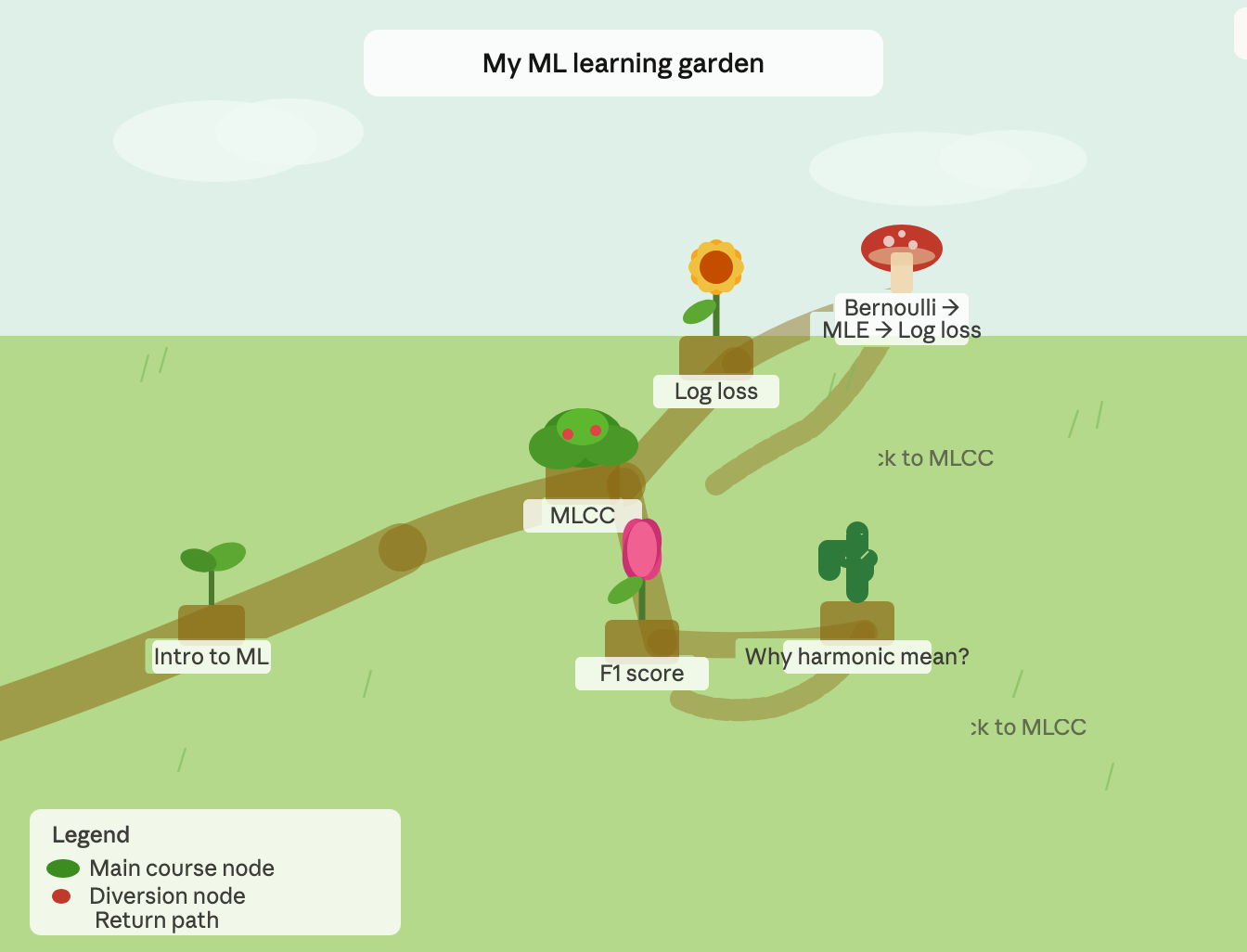
Claude’s initial sketch of a mindmap on my learning journey in March 2026. The nodes represented as plants are art assets positioned to be positioned by the author using pixel coordinates. After giving the Claude’s initial suggestion some thought, I wondered if a grid-based approach for positioning would be more convenient. Claude rendered a UI component with an updated sketch of the grid system. Below’s a screenshot of the UI component, which has cell size and number of column parameters I can toggle to guide my decision on the set up of the grid. This UI component not only confirmed my choice of grid system for the knowledge garden, but also helped me settle on a few properties of the grid including:
- the number of columns must be an odd number to ensure that nodes can be placed in the centre of the garden
- having grid lines and the
(row, col)coordinates would be handy for drafting the garden - choosing different plant types for the main course/detour
- having a legend indicating the meaning of the paths
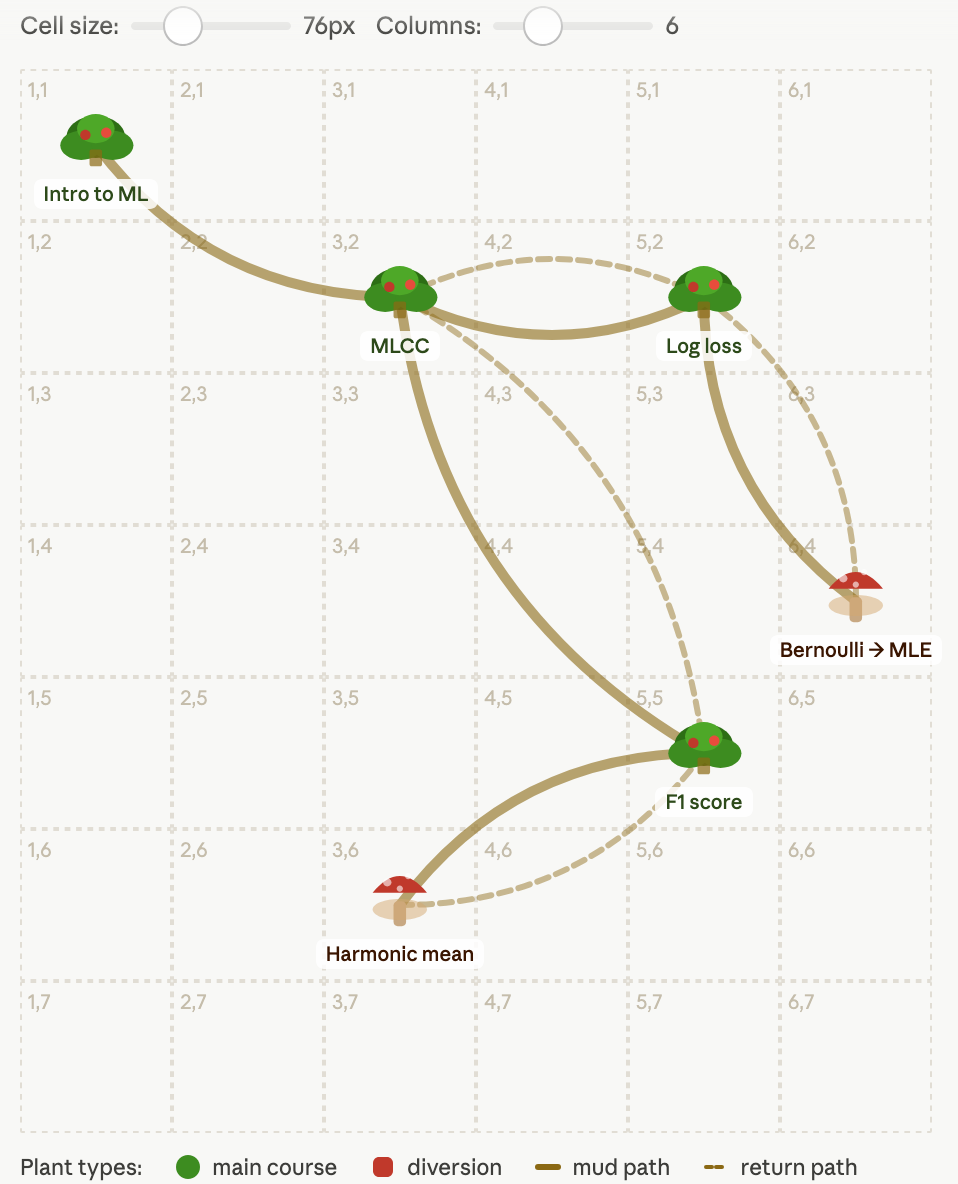
Claude’s updated sketch of a mindmap on my learning journey in March 2026. The nodes represented as plants are art assets to be positioned by the author using the grid as guidance. -
Implementing a minimal viable product (MVP) version of the knowledge garden using my ML learning journey as a manual test case
In March 2026, Claude also drafted a overview of the file organization and implementation of the knowledge garden. Soon after, however, Anthropic made some silent changes to Claude, which I felt impacted the quality of outputs I was getting. I pivoted toward ChatGPT as a result for the remainder of implementing the knowledge garden which I resumed development on in mid May 2026.I fed the grid-based knowledge garden idea to ChatGPT and a description of the file organization of the resources I’d like to include in my test implementation using my ML learning journey. The conversation led to a full fledged file organization structure and architecture for the knowledge garden. It worked quite well out-of-the box save for the ugly UI.
-
Polishing up the knowledge garden
With the MVP ready, I decided to write up the full version of the knowledge garden’s product requirements document (PRD). The PRD is typically a document describing what the product (knowledge) should do, why it exists, and the requirements/scope for implementation. ChatGPT drafted the first version and I went through it to make the PRD more concise and human friendly (or at least friendly to me since I’m going to be the maintainer and direct user of the knowledge garden).I also manually added the roadmap—a set of tasks grouped into issues to polish up the product. I then went through each issue as a separate conversation with ChatGPT/Gemini, feeding the PRD alongside the first prompt. I split each issue into a conversation to ensure the length of the conversation does not exceed the context window of the chatbot.
KNOWLEDGE GARDEN ROADMAP
Voila! That’s how I vibe coded the knowledge garden feature. I took about 20-ish hours spread across five to six days to polish the feature up to where it is now. If you’d like to implement something similar, I’ve made a GitHub template repository for the knowledge garden. An implementation of the knowledge garden on my learning journey on ML is also live here. 🌸